How I Built a Professional Website in 90 Minutes Using AI — And You Can Too
No coding. No templates. No drag-and-drop. Just a conversation with AI. A step-by-step walkthrough of building and deploying a complete website using Claude Code.
No coding. No templates. No drag-and-drop. Just a conversation with AI.
If someone told me two years ago that I could build a complete, professional website by just describing what I want in plain English — I would have laughed.
But that's exactly what happened. And today, I'm going to walk you through the entire process, step by step.
This isn't a theoretical post. This is what I did, live, in front of an audience — and every single person watching was blown away.
The Old Way Is Dead
Let me paint a picture you probably recognize.
You want to build a website. So you Google "how to make a website" and you get hit with:
- Learn HTML and CSS (3-6 months)
- Learn JavaScript (another 6 months)
- Learn a framework like React or Next.js (3 more months)
- Learn design principles (another few months)
- NOW you can start building
That's over a year of learning before you create anything real.
And let's be honest — most people give up somewhere around month two. Not because they're not smart enough, but because the gap between "learning" and "building something useful" is too wide.
What if you could skip all of that and jump straight to building?
That's not a fantasy. That's what AI makes possible right now.
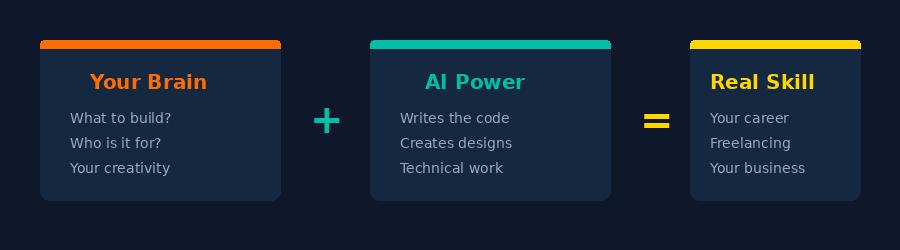
The New Way: Your Brain + AI
Here's the formula I teach:
Your intelligence (knowing what to build, who it's for, what it should look like) + AI's power (writing the code, creating the design, handling the technical stuff) = A valuable skill you can use for your career, freelancing, or starting a business.
You don't need to reinvent the wheel. You need to know how to drive.
What We're Building
In this walkthrough, I'll build a complete portfolio website for a fictional freelance graphic designer named Ahmed. The site will have:
- A hero section with name, title, and tagline
- An about section with bio
- A portfolio gallery with project cards
- A services section
- A working contact form
- A footer with social links
- Fully responsive design (looks great on phones)
- Deployed live on the internet with a real URL
And I'll do it using one tool: Claude Code.
What is Claude Code?
Think of it as chatting with the world's best developer.
Claude Code is a command-line tool by Anthropic. You open your terminal, type claude, and start describing what you want in plain English. Claude writes all the code for you — instantly.
Why Claude Code instead of website builders like Wix or Squarespace?
- No platform lock-in — the code is yours, on your computer
- No monthly fees for hosting your site on someone else's platform
- No limitations — you get exactly what you describe, not what a template allows
- Real code — you're learning an actual skill, not just clicking buttons
Step 1: Open Your Terminal
Every computer has a terminal. On Mac, it's called Terminal. On Windows, you can use Command Prompt or PowerShell. On Linux, you already know where it is.
Open it up and type one word:
claude
That's it. You're in.
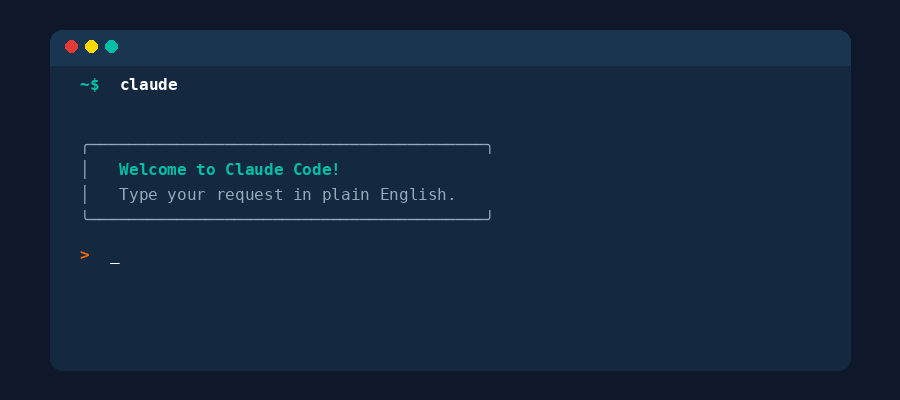
Claude greets you and waits for your instructions. No accounts to create. No websites to visit. No sign-up forms. Just you and AI, ready to build.
Step 2: Describe What You Want
This is where the magic happens. You don't write code. You write what you want — in plain English, the same way you'd explain it to a friend.
Here's exactly what I typed:
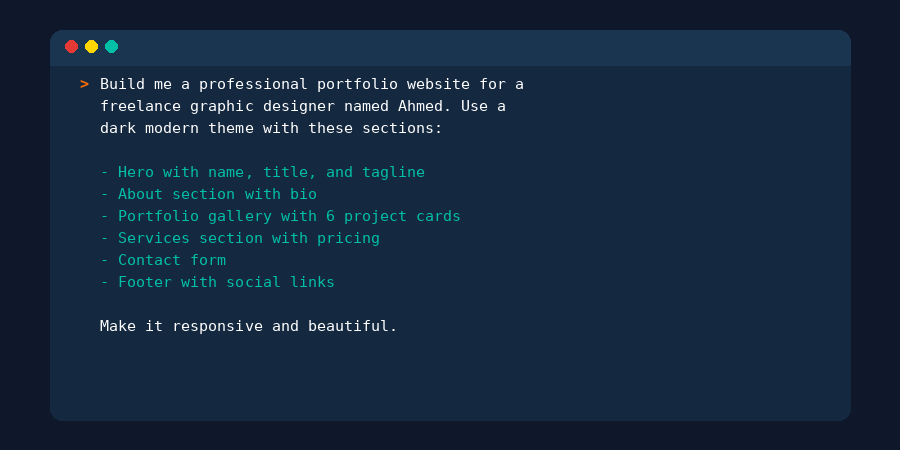
That's it. No HTML. No CSS. No JavaScript. Just a clear description of what I want the website to look like.
Pro tip: The more specific you are, the better the result. Mention colors, sections, features, and the vibe you want. Think of it like giving instructions to a designer — the clearer you are, the closer the result matches your vision.
Step 3: Watch Claude Build It
After you hit Enter, Claude starts working. And this is where people's jaws drop.
You can literally watch it:
- Create the project structure
- Write the HTML for every section
- Create beautiful CSS with your dark theme
- Add JavaScript for interactivity
- Build the contact form with validation
- Make everything responsive
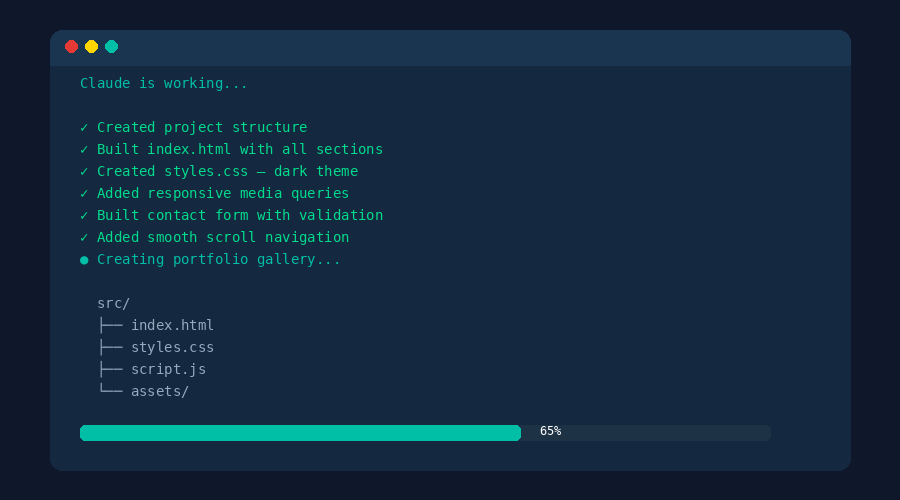
In about 2-3 minutes, Claude writes hundreds of lines of code that would take a developer hours (or a beginner weeks) to write manually.
And here's the key: you can see every file it creates. You're not locked into some black box. The code is right there on your computer.
Step 4: Preview Your Website
Once Claude is done, it tells you the files are ready.
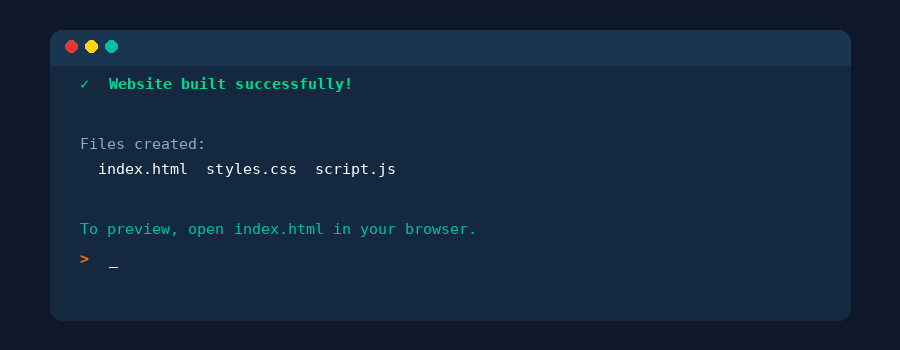
Open the index.html file in your browser (just double-click it), and you'll see your complete website. Hero section, about, portfolio, services, contact form — everything you described, built and working.
This is usually the moment in my workshops where the room goes quiet for a second, and then someone says "Wait... that's it?"
Yes. That's it.
Step 5: Customize It (Just Keep Talking)
Your website is built, but maybe you want to tweak some things. The beauty of Claude Code is that you customize the same way you built — by talking.
Want different colors? Just say so:
"Change the color scheme to blue and orange."
Want a bigger hero section? Say it:
"Make the hero section bigger with a gradient background."
Want to add a WhatsApp button? Just ask:
"Add a WhatsApp button in the contact section."
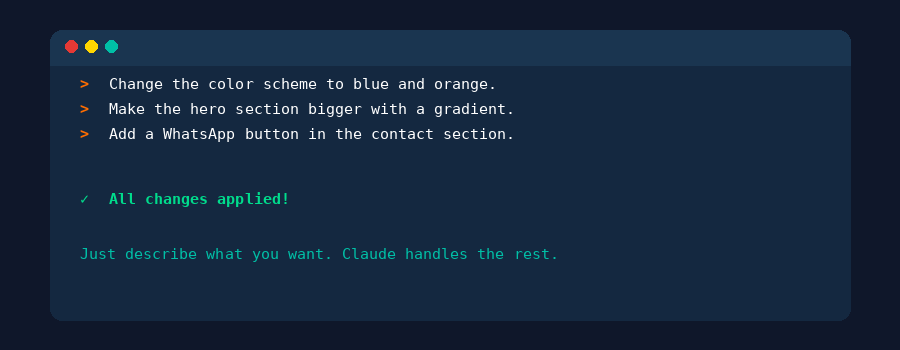
Every change happens instantly. No hunting through code. No googling "how to change CSS colors." You describe it, Claude does it.
Step 6: Deploy It Live
Your website looks amazing on your computer. Now let's put it on the internet so anyone in the world can visit it.
Tell Claude:
"Deploy this website so anyone can visit it."
Claude will set up deployment (using a free service like Vercel or Netlify), upload your files, and give you a real URL.
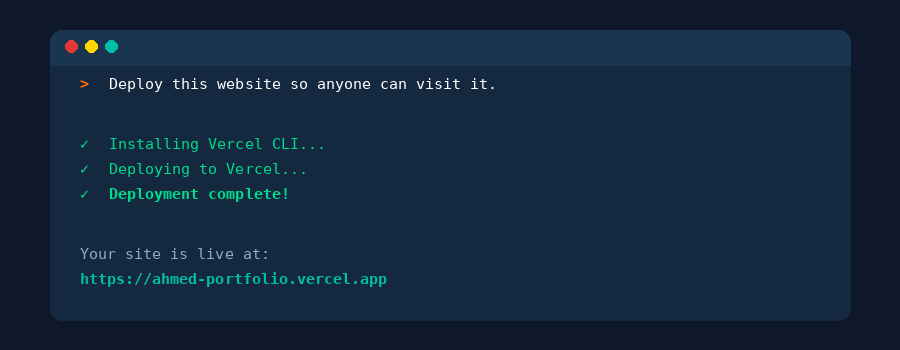
That URL is yours. Share it on your social media, put it on your resume, send it to clients. It's a real website, on the real internet.
What Just Happened?
Let's step back and appreciate what we just did:
- We described what we wanted — in plain English, no code
- AI wrote all the code — hundreds of lines, instantly
- We customized by talking — "make it darker", "add a gallery"
- We deployed to the internet — with a real URL anyone can visit
Total time: about 30-45 minutes for the build, plus customization.
Zero coding knowledge required. Zero templates. Zero drag-and-drop builders.
This Isn't Just About Websites
Here's what I really want you to understand: the website was just the example. The skill you learned today is much bigger than that.
The same formula — your brain + AI — works for:
- Mobile apps — describe an app and Claude builds it
- Automation — "write a script that organizes my downloads folder every day"
- Data analysis — "analyze this spreadsheet and show me the trends"
- Business tools — dashboards, invoices, inventory systems
- Design — logos, graphics, social media templates
- And literally anything else you can describe
The skill isn't "making websites." The skill is knowing how to work with AI to build whatever you need. That's the most valuable skill you can learn right now.
Common Questions
"Do I need to install anything?"
Yes — you need Node.js and Claude Code installed. It takes about 5 minutes. Visit Anthropic's documentation for the setup guide.
"Is Claude Code free?"
Claude Code requires an Anthropic API key. There's a cost per usage, but for building a website like this, it's very affordable — usually less than a dollar.
"Can I edit the code later?"
Absolutely. The code lives on your computer. You can open it in any code editor, or just ask Claude to make changes anytime.
"What if I want to build something different?"
That's the whole point. The same process works for anything. Just describe what you want and let AI build it. Want an e-commerce store? A blog? A dashboard? Same formula.
"I'm a complete beginner. Can I really do this?"
Yes. If you can describe what you want in words, you can build it. That's the entire point of this approach — your intelligence and creativity are the skill. AI handles the technical execution.
What's Next?
If this post opened your eyes to what's possible, here's what I'd recommend:
- Try it yourself — install Claude Code and build something small
- Start with what you need — a portfolio? A landing page for your business? Build that first
- Follow BuildWithAbid — I'm teaching more skills using this exact formula every week
The world has changed. You don't need to spend years learning technical skills before you can build things. You need to learn how to think clearly, describe what you want, and work with AI.
Your brain + AI = any skill you want.
Written by Abid — BuildWithAbid
Follow me for more:
- YouTube: @buildwithabid
- Twitter/X: @buildwithabid
- LinkedIn: @buildwithabid
- GitHub: @buildwithabid